July 2, 2025
Merchant services company
How to Accept Payments via Email Invoices — Guide for Small Businesses!
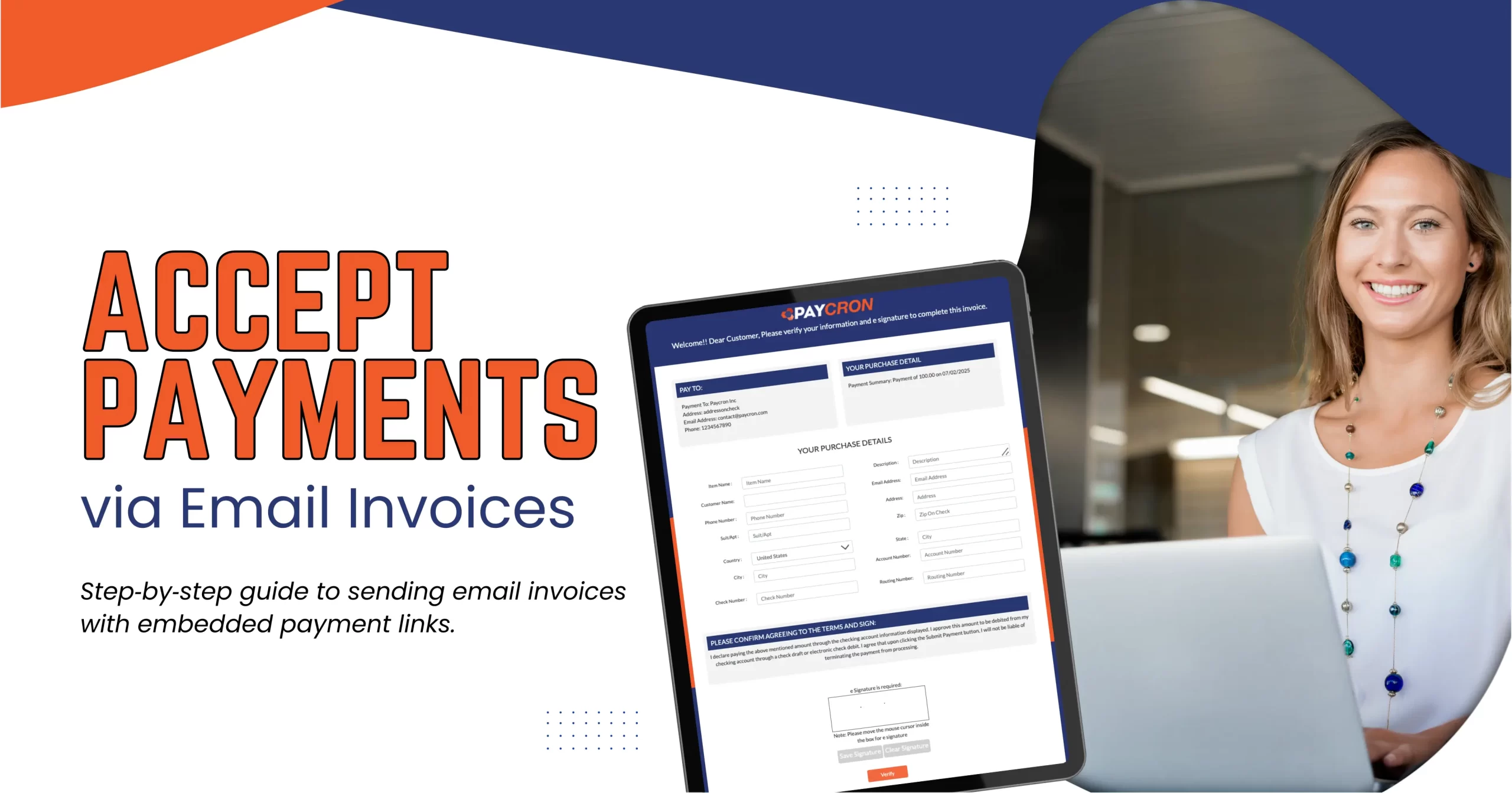
Leave the outdated paper checks behind! In 2025, email invoices with embedded payment links are the fastest, most secure, and most savvy way for small businesses to accept payments and get paid on time. Whether you’re a solopreneur or managing a growing team, this method simplifies billing, improves cash flow, and builds trust. Here’s how it works, why it matters, and how to do it right—step by step.
1. Walk Through the Email Invoice + Payment Link Process —
First things first: pick a tool that lets you create an invoice, attach a “Pay Now” button, and email it directly. The process typically looks like this:
- Choose a tool/platform: Think BillingBee, Hiveage, Invoice2go, Paycron, FreshBooks, Zoho Invoice, Square, or netSuite for bigger setups.
- Create your invoice: Add your logo, client details, item breakdown, total, due date.
- Auto-generate a payment link: Tools embed secure buttons powered by Stripe, PayPal, Authorize or Paycron’s eCheck gateway.
- Email with a friendly message: Introduce the invoice in a conversational tone and include that clear “Pay Now” button.
- Track opens and clicks: Most platforms tell you when the email was viewed and the link clicked.
- Receive payment: When clients hit the link and pay, funds go to your merchant account—without any chasing.
This flow saves time, cuts costs, and improves cash flow—all while modernizing your billing.
2. Do’s and Don’ts of Sending Payment Invoice Links via Email —
Do:
- Use encrypted, tokenized links for safety.
- Show due dates and totals clearly.
- Embed a large, easily tappable “Pay Now” button.
- Include trusted processors or security badges (like PCI, SSL).
- Maintain compliance with local e-invoicing laws.
Don’t:
- Send naked links—those look sketchy.
- Attach malicious attachments like PDFs or EXEs.
- Use generic subjects like “Invoice inside”—better: “Invoice #123 from [Your Business]—Due [Date].”
- Overwhelm in follow-ups: limit to 2–3 reminders.
Follow these and you’ll build trust and avoid legal/security pitfalls.
3. Create Click-to-Pay Email Invoices That Customers Actually Pay —
Getting paid starts with making payment irresistible:
- UX & mobile design: Over 78% of email is opened on smartphones. The “Pay Now” must be thumb-friendly.
- Copywriting: Brevity helps. Aim for “Hi [Name], thanks for [project]. Total due $X. Click to pay.” Then button.
- Subject line: Use personal and descriptive text. A/B test versions like “Invoice #123 from [Your Name]” vs “Your invoice is ready”.
- Visual cues: Use color, whitespace, bolding on total and due date.
- Trust phrases: Add “Secure checkout via Paycron/SSL” near the button.
A crisp, clean email matters—a lot.
4. Secure Ways to Accept Payments via Email —
Security isn’t optional. Here’s what to consider now:
- Encryption & tokenization: All major platforms (Stripe, PayPal, Paycron) use encrypted links and tokenized data.
- Fraud prevention: Tools like Stripe Radar include AI fraud detection. Others use 3D Secure for protection.
- PCI compliance: Don’t DIY store card data. Instead rely on compliant gateways.
- Verification tools: Paycron offers eCheck fraud detection Tool via Trustpilot.
- Scam awareness: Double-check email domains to guard against invoice phishing.
By staying current, you and your clients stay safe.
5. Top Platforms That Send Invoices via Email —
Here’s a quick comparison of top picks:
| Platform | Strengths | Notes |
| Paycron | eCheck + Verification Tool | 4.5 Rating, No setup fees, Support High-Risk Businesses |
| FreshBooks | Invoice + time tracking + reminders | Ideal for freelancers & service pros |
| Zoho Invoice | Rich features + full automation | Free tier, integrates well |
| Hiveage | Simple UI, free tier, multiple gateways | Good starter plan |
| Invoice2go | Mobile-first, instant website | Built for small scale |
| Square Invoices | Great for retailers and in-person POS tie-in | Works seamlessly if you use Square |
| NetSuite | Full enterprise ERP integration | Powerful but more complex |
Choose based on your size, budget, and feature needs.
6. Accept Credit Cards via Email Invoices Without a Website —
No website? No problem. Just:
- Use tools like PayPal Invoicing, Square, Invoice2go—they send client-facing invoices and collect card payments via email.
- Set up a merchant account (Paycron, Square, Stripe).
- Email a “Pay Now” link—your clients click, enter card info, done.
- No coding, no ecommerce needed. Perfect for solopreneurs, consultants, trades.
7. Set Up Recurring Email Invoices with Auto Payment Links —
Want automatic billing? Here’s how:
- Choose a platform that supports recurring invoices (Zoho, FreshBooks, Square, NetSuite).
- Configure billing frequency, payment method, and amount.
- Client approves recurring payments—some platforms use VRP (Variable Recurring Payments).
- Email and auto-charge on schedule; reminders for updates or misses.
- Easily view payment history and cancel anytime.
This streamlines subscriptions or retainer models beautifully.
Market Trends & Data in 2025 —
- E-invoicing market to hit $24 billion by 2027.
- Paper checks in B2B dropped from 33% to just 8% in three years.
- 64% of firms now use invoice automation.
- Over 80% of invoices are read on mobile.
- ACH/eCheck still growing: Paycron clients note it’s a “game-changer” .
Summing It Up —
By embracing email invoices with embedded payment links, small businesses can:
- Get paid faster: real-time billing, no delays.
- Save time & money: no printing, mailing, or reconciling manual invoices.
- Boost security & trust: encrypted links, PCI compliance.
- Scale easily: support recurring models, multiple currencies, and expand without a website.
So, ditch the snail mail, go digital—your cash flow will thank you.
FAQ:
Q: Is email invoicing secure?
Yes—reputable platforms use encryption, tokenization, PCI compliance, and fraud tools like 3D Secure or AI detection.
Q: Can I send recurring bills?
Absolutely—many platforms support recurring billing and auto-charge. For example, Zoho, FreshBooks, Square, NetSuite, and Paycron offer this feature.
Q: Are payment links mobile?ready?
Yes—designs are responsive and thumb-friendly. Over 78% of invoices are viewed on mobile devices.
Q: Do clients need an account?
Usually not. Clients click the secure link, enter card or ACH details, and pay—no account creation required.
Q: How much does this cost?
Fees vary. Tools like Wave are free (you only pay processing fees). Paycron has no setup fees and competitive rates. Others charge monthly subscription fees.
Q: What if a client disputes payment?
You’ll follow standard dispute resolution: gather proof of delivery/service, work with your processor. Tools like Paycron and PayPal offer support during chargebacks.

More related blogs
- High Risk Merchant Account
- merchant services
What is Visa’s Digital Commerce Authentication Program (DCAP) — Everything you need to know! 
- High Risk Merchant Account
- merchant services

- Electronic Check Payment
- high-risk merchant
Why ACH and Credit Card Limits Are Quietly Killing Merchant Growth?
- Electronic Check Payment
- high-risk merchant

- Online Credit Card Processing
- fintech payment solutions
Simplify Payment Plugin Integration for Online Businesses!
- Online Credit Card Processing
- fintech payment solutions


